# Using ModelVerse API in Dify
## About Dify
Dify is an open-source large language model (LLM) application development platform. It integrates the concepts of Backend as Service and LLMOps, enabling developers to quickly build production-level generative AI applications.
## Using LLM API in Dify
### Step 1: [Obtain an API Key](https://console.compshare.cn/light-gpu/api-keys)
### Method 1: Install via Dify Plugin Market
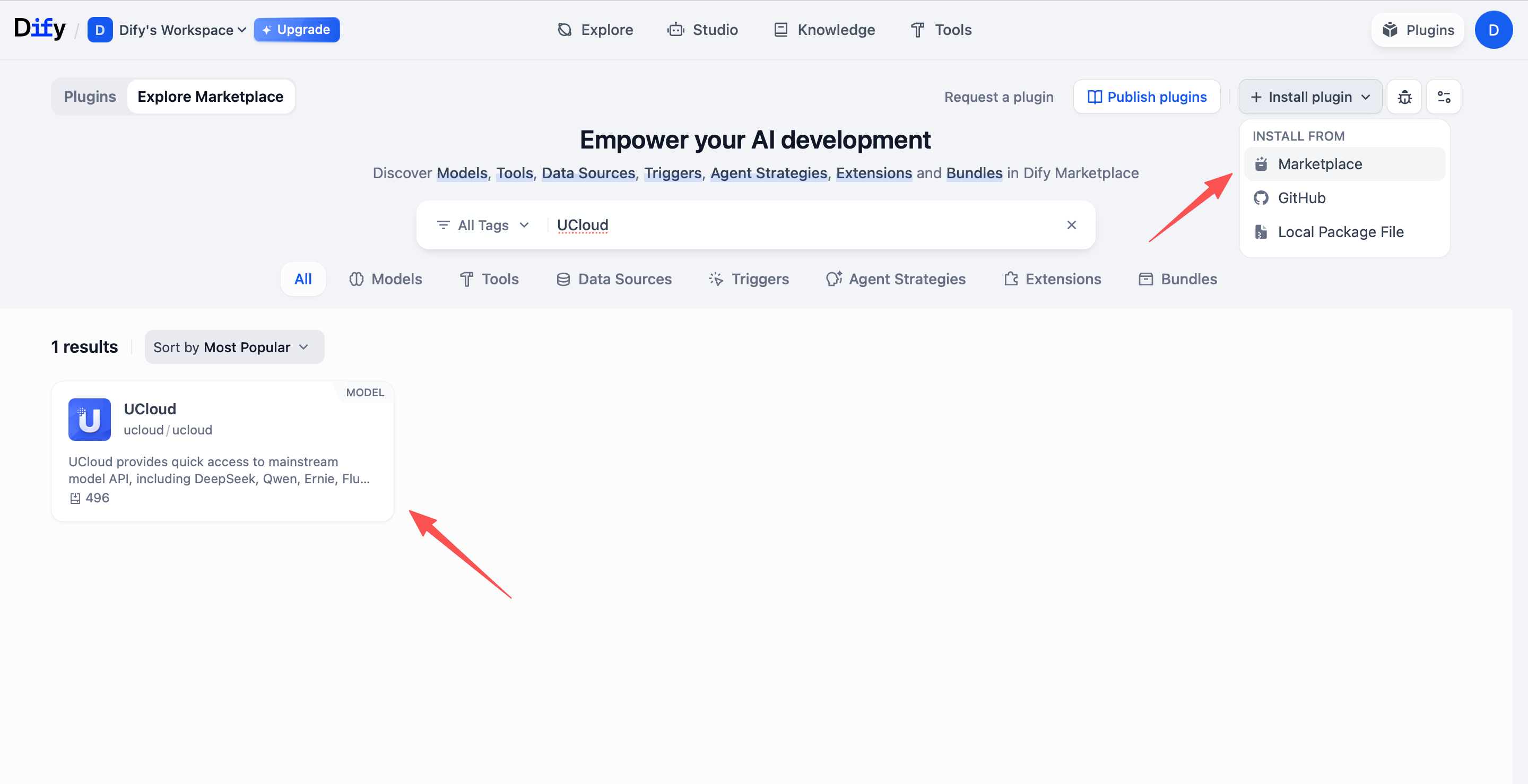
1. Log in to Dify and visit the Dify plugin market at https://cloud.dify.ai/plugins?category=discover
2. Search for **Genesis Cloud**, find the corresponding plugin and install it.
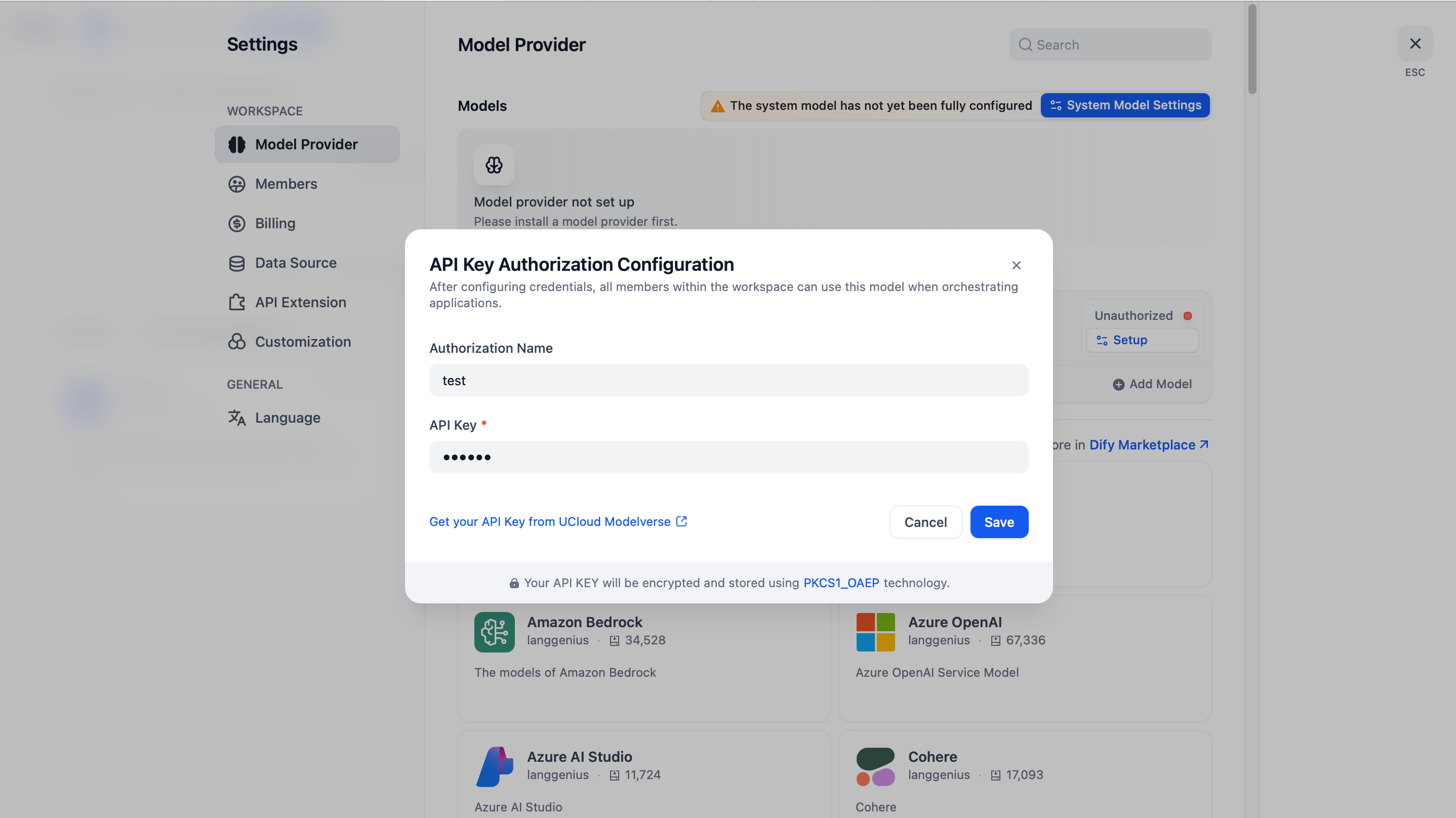
 3. Enter the Genesis Cloud model API Key.
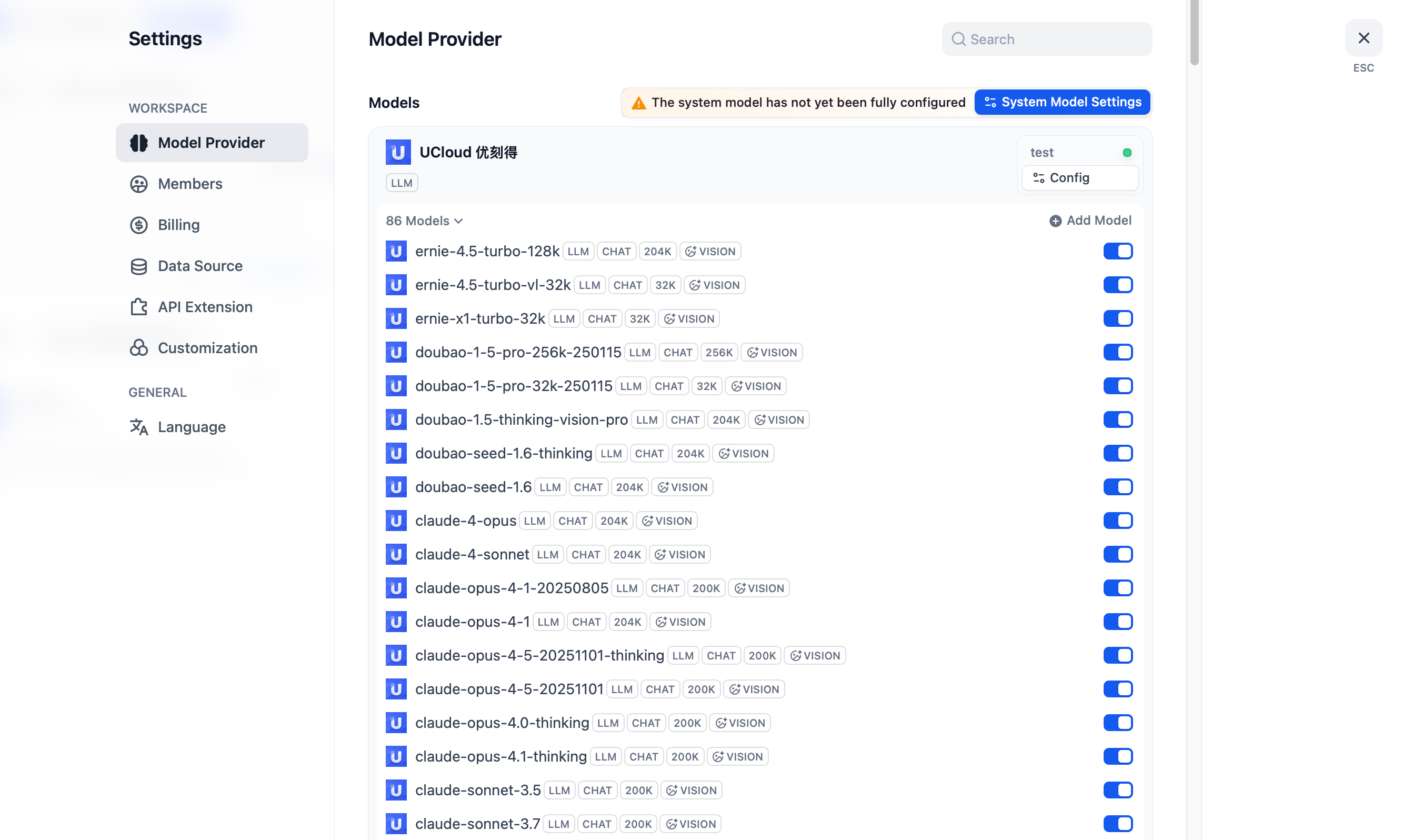
 4. Integration complete.